PREVISUALIZATION & 3D GENERALIST

Outwitted
(work in progress)
Programs Used:


THE PROCESS
Storyboards


Layout of some keyframe shots I envisioned for this action sequence. I referenced dog fight scenes from movies like Top Gun, The Green Lantern, and real life air show demonstrations.
Constraints, Constraints, Contraints...
Parent Constraints

Using constraints to my advantage, I religiously implemented that practice for tackling missiles. I parent constrained Locator 1 (missile's origin point) and Locator 2 (missile's attachment point) to one of F22's joints. Attached to the missile are parent constrained FX cards.
Point Constraints
Below is a demonstration on how I used point constraints to "let go" of an item.
- Locator 1 "Bomb to Ship" = attached to spaceShip
- Locator 2 "Missile Contact" = landing point for bomb
side note: Since I'm dealing with a sci-fi spaceship I wanted its counterpart, the bomb, to have fictional properties. Like Mario Cart, it has the ability to stay in place once dropped by the alien driver.
Rapid Fire Bullets
Duplicate Special
To create rapid fire with bullets, I started off with a null group and parent constrained it to the ship's turret geo. Then, I modeled a simple bullet shape and grouped it within the null group. After I animated the bullet to launch far enough past the bomb and post-infinity cycle it, I then duplicate special that one animated bullet a few copies depending on how many turret holes.
Make sure the animation is copied by turning on
Duplicate Input Graph.
To group the bullets in the same bullet folder,
Group Under: Parent.

Dope Sheet - Timing
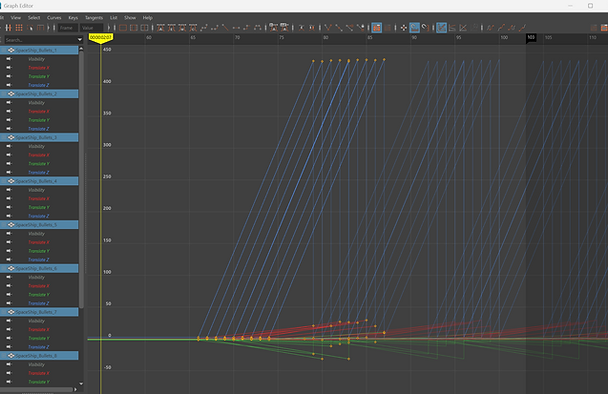
All the bullets will be launched at the same direction and same time. Using the Dope Sheet, I was able to retime the bullet launch.

To tackle the direction of where the bullets fired, I manually moved the last keyframe of each bullet launch.
Before

After
More to come soon!